
Showing posts with label smartphone apps. Show all posts
Showing posts with label smartphone apps. Show all posts

There
are no excuses for PR (Public Relations) mistakes now that we can manage our PR campaigns 24/7.
Using mobile technology we no longer need to be in the office or at a computer
to be able to rectify a problem or a brewing disaster. A PR professional should be able to manage PR on the go. Here are all the apps a
PR professional should utilize to manage PR on the go. See here the apps to help including communication, organization, social media and news as -
Social Media
Every
PR professional should take advantage of the social media apps for smart
phones. The apps are just as good as the sites and in some cases actually
better. Communicate with fans, offer advice, share information and build
relationships using the apps on the go. Every PR professional should have
Facebook and Twitter for on the go updates, but also consider LinkedIn and
Pinterest.
News
Everyone
working in PR should keep up to date with what’s going on in the world. Few
people buy hard copy newspapers anymore, instead opting to read news online and
on mobile devices. You should especially keep up to date with the news of your
industry, as it’s great to be able to share news on social media sites and
discus it too. For example if you work in technology PR you will want to be up
to date with any technological news at all times. Try the BBC news app,
Instapaper and Zite.
Organization
A
badly organised PR professional just doesn’t work, if you do have some issues
with being organised take advantage of mobile technology to help you get
everything in order. Try file sharing apps like Dropbox, so you can take all
your documents with you where ever you go. There are great apps for to do lists
so you always stay on top of everything, try Astrid to do list, clear and iDoneThis.
Communication
Communication
is essential in public relations. You need to be in touch with the public and
your colleagues at all times keeping everyone up to date. There are lots of
great ways to communicate efficiently and easily using various apps. Try the
Skype app for free video calling, Whatsapp for instant messaging and Cloudtact
that will instantly update your contacts if they change any of their
information or contact details.
No
matter what industry of PR you work in, from Technology PR to Fashion
PR, at the end of it all Public Relations is all the same. You need to be
organised, always in touch with the public and colleagues and on the ball,
making use of various smart phone apps helps you do this.

If
one of your New Year’s resolutions is to use your time more wisely, a
productivity app might be just what you need to kick start your year. Here we look at some great apps to increase your productivity on the iPhone! There are
a number of apps you can consider, but often a leading indicator of quality is
high ratings from other users like yourself. Whether you are a businessperson
hoping to make better use of your work hours or a stay at home mom trying to
juggle numerous schedules, following are five top-rated iPhone apps you can
peruse. iPhone deals are fantastic for great apps and these are 5 of the best.
Keynote App
This
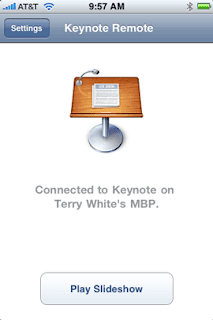
highly rated app direct from Apple is the consummate crowd pleaser. Averaging
between four and five stars consistently, Keynote allows users to create
impressive presentations directly on their smart phones. Usable on both iPhones
and iPads, Keynote users can create top of the line visual presentations with
everything from pie charts to 3D graphics. With Apple’s famous touch and tap
interface, Keynote users can even import and export their PowerPoint presentations
with this must-see app. While this app is priced slightly higher than a number
of other iPhone productivity apps, its high ratings make it well worth checking
out.
Dropbox App
Dropbox
is a must-use iPhone app for those wanting to make the most of their working
hours. Available in seven languages, Dropbox is optimized for iPhone 5. Users
can access documents, photos, and even videos from either their own computers
or from the Dropbox website. Cloud computing is incredibly easy with this app.
You will likely wonder how you ever lived without it once you download this
free app.

Evernote App
Evernote
is another highly rated iPhone app well worth checking out for improved
productivity. Users can do everything from create voice reminders, take
pictures, create daily to do lists, and even map their activities. While the
entry level Evernote is a free download, Evernote Business is available via a
monthly subscription rate. With Evernote Business, entire workforces can store
and access their work documents in the cloud.

Week Calendar App
Week
Calendar from UtiliTap is available in 20 languages for both iPhones and iPads,
including the iPhone 5. Users can easily see their weekly calendars at a glance
while synchronizing their daily duties. With the ability to duplicate duties,
color code events, and even share appointments, UtiliTap’s Week Calendar is
well worth checking out.
Organizer To Do App
The
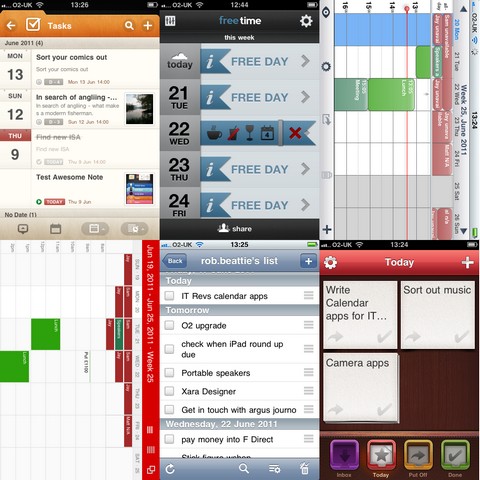
Organizer To Do app from Yadahome LLC is a personal planner useful for busy
moms on the go or businesspeople consistently in need of a little
organizational help. With productivity options like budgeting, calendar
scheduling, and even grocery listing capabilities, the Organizer To Do app is
likely to become an integral part of a busy day. Users can utilize iCloud Sync
to stay on top of their daily duties. If you consistently find yourself short
on time and long on duties, this Smartphone app might make your life a tad more
productive.
Check
out these productivity iPhone apps for yourself to see which ones will help you
to make the most of your working hours. By making use of the vast array of
tools at your disposal, you just might be able to check off becoming organized
from your New Year to do list.


 Posts
Posts



